How to schedule a week of short-form videos across multiple accounts
If the clips are already edited, the remaining work is choosing accounts, a horizon, and reviewing the proposed posts — not uploading the same file seven times.
Start with finished clips
Upload the videos you already made, then select the ones that should fill the week. FeedStreak does not generate or edit videos.
A useful week-sized example: 7 finished clips and 2 healthy accounts. With default reuse, Fill Network proposes one post per account per day, and a clip is used once on each selected account. That is 14 proposed posts across 7 inclusive days when those days start empty.
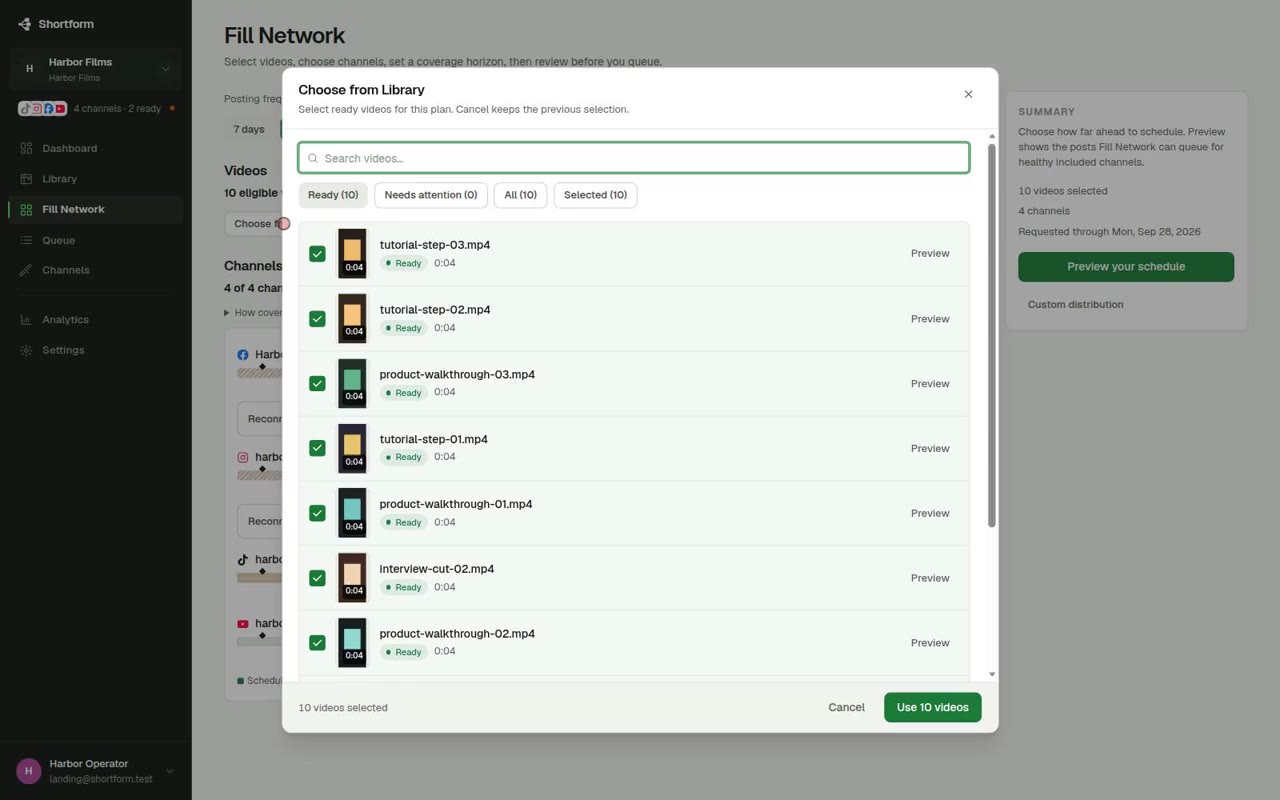
Choose accounts and how far ahead
Select the destinations that should receive posts. Fill Network can cover YouTube Shorts, TikTok, Instagram Reels, and Facebook Reels when those destinations are connected and healthy.
Pick a 7-day horizon or an exact date. Fill Network fills empty days through that date. Days that already have a scheduled post for that account are skipped.
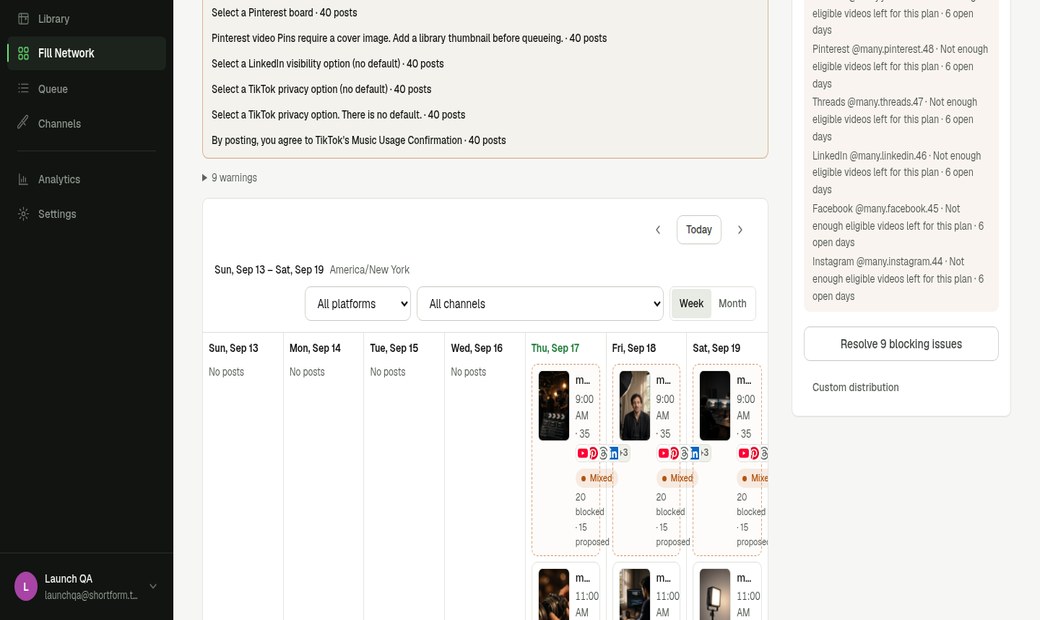
Review, then queue
The plan is proposed, not published. Open a post to check the title, caption, time, and destination, then confirm Queue.
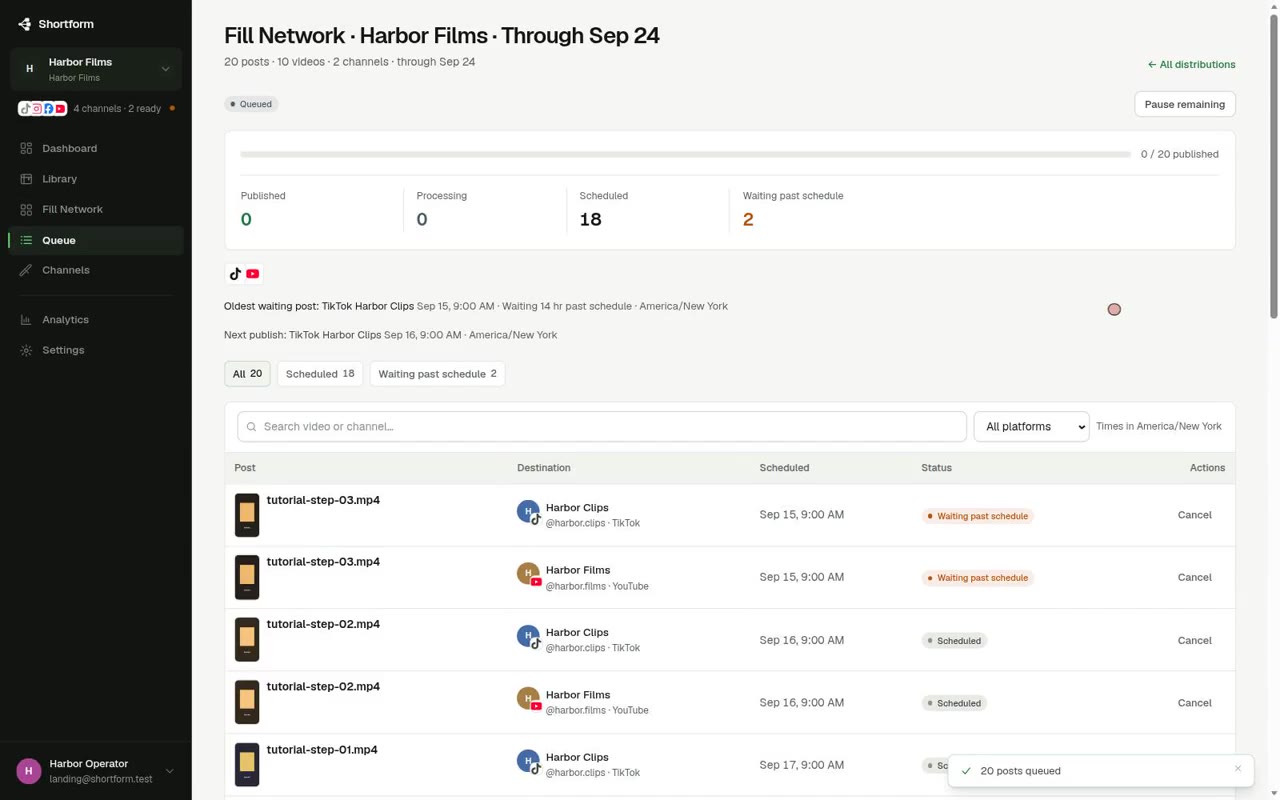
The Harbor Films recording on this site used 10 clips × 2 accounts through an exact date, which produced 20 proposed posts — the same reuse rule, a longer horizon.
Useful limitations
- Connecting a platform requires that vendor’s OAuth to be configured on this deployment. A logo is not a live connection.
- Unaudited TikTok apps stay tester-limited: invited testers, private posting, and a posting cap. That is a TikTok API rule, not a FeedStreak plan feature.
- Creator and Studio account caps are shown on Pricing; they are not enforced in the workspace yet.
- The publishing worker only runs when it is enabled. Queueing a plan does not by itself send posts to social platforms.