How to organize a batch of videos into a posting calendar
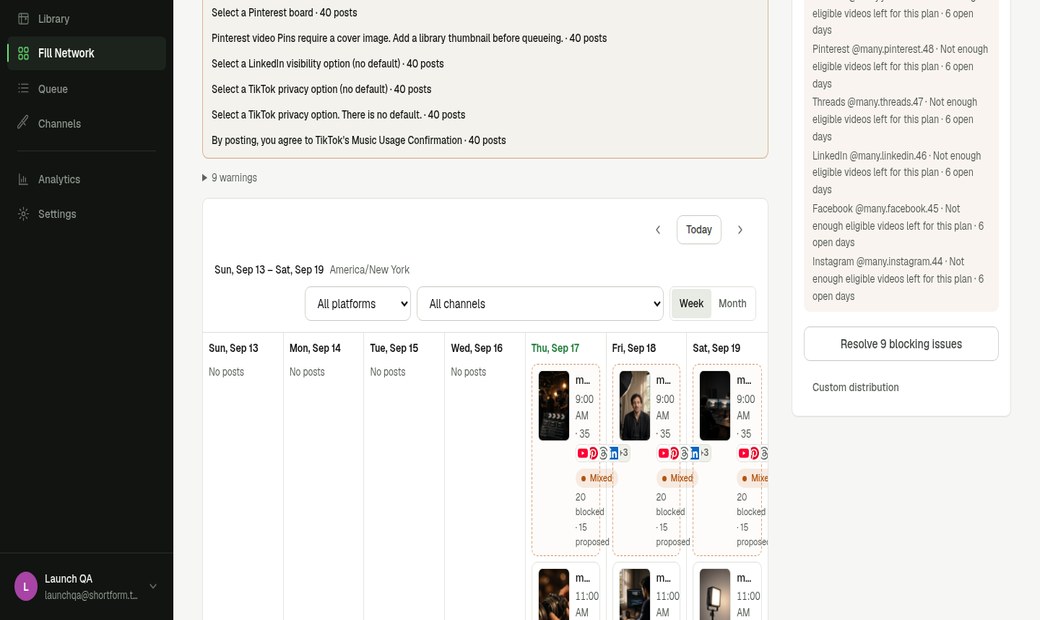
The calendar is the output of Fill Network: dated slots, selected accounts, and a proposed or queued state — not a gallery of leftover thumbnails.
A batch becomes dated slots
Select the clips, include the accounts, and choose a date. Fill Network proposes one post per healthy account per empty day.
In the Harbor Films demo, an exact date with 10 clips and 2 included accounts produced 20 planned posts, with coverage drawn through that date.
Work around what is already scheduled
Days that already have a scheduled post for that account are left alone. Fill Network fills the gaps; it does not overwrite existing queue items.
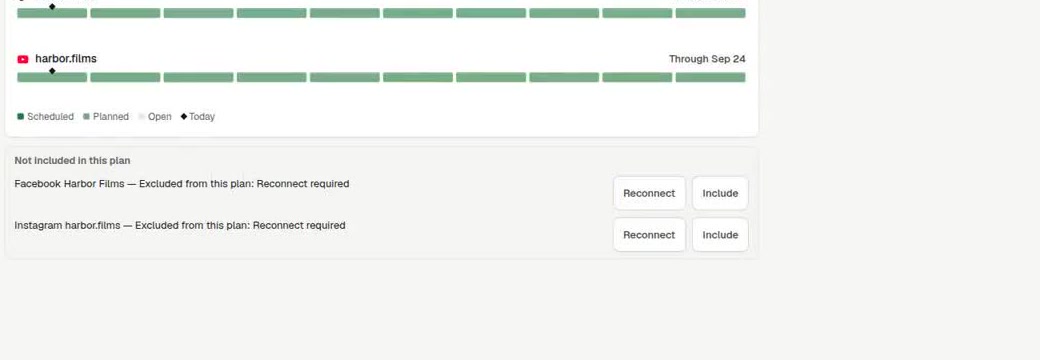
If an account needs reconnect, it is listed as an issue. You reconnect it or exclude it before Queue. Facebook and Instagram in the Harbor Films recording were excluded for that reason.
Proposed, then queued
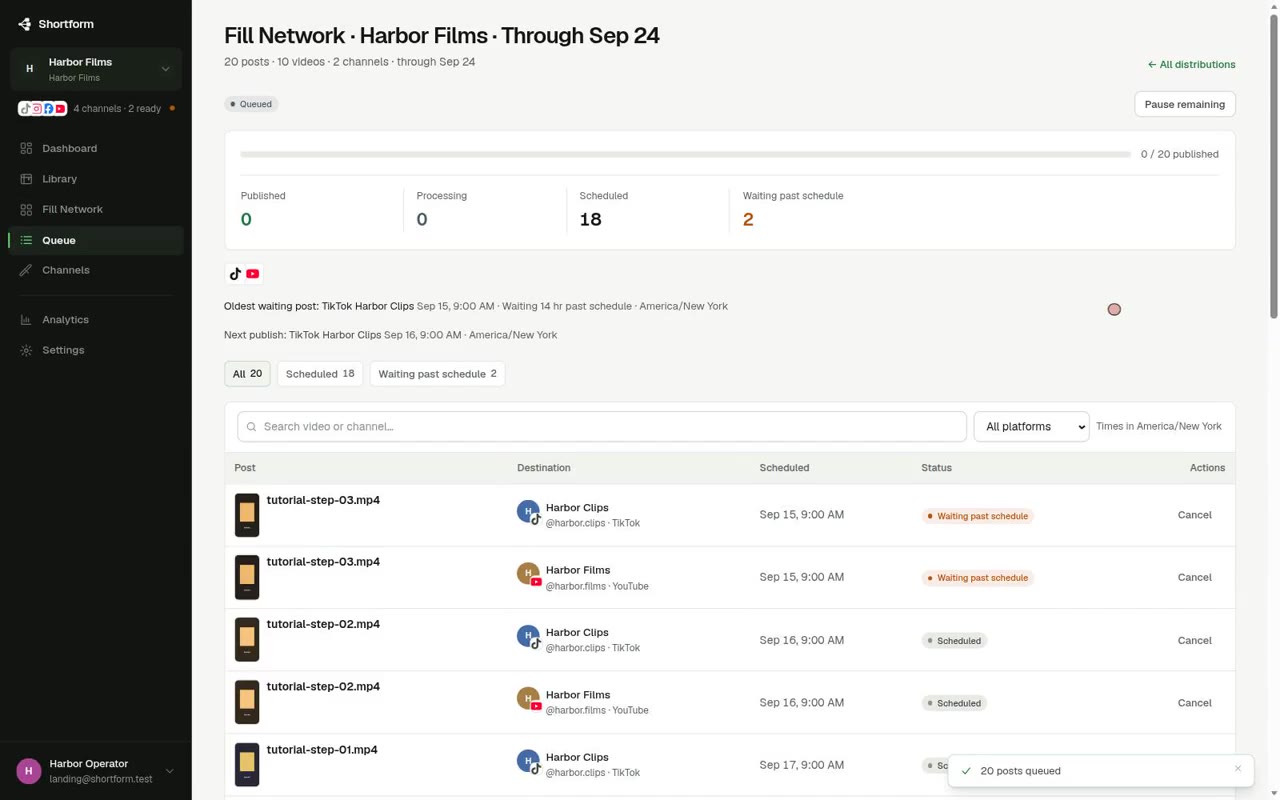
Until you confirm Queue, posts are proposed. After Queue they are queued in this workspace. That is not the same as published on YouTube, TikTok, Instagram, or Facebook.
Use review to edit a title or caption on a specific destination, then queue the plan as a whole.
Useful limitations
- Object storage today follows Free 10 GiB and Pro 50 GiB entitlements. That is not unlimited storage.
- Publishing still depends on each provider’s API, quotas, and (for TikTok) audit status.
- Public pages and the in-app product name are FeedStreak.